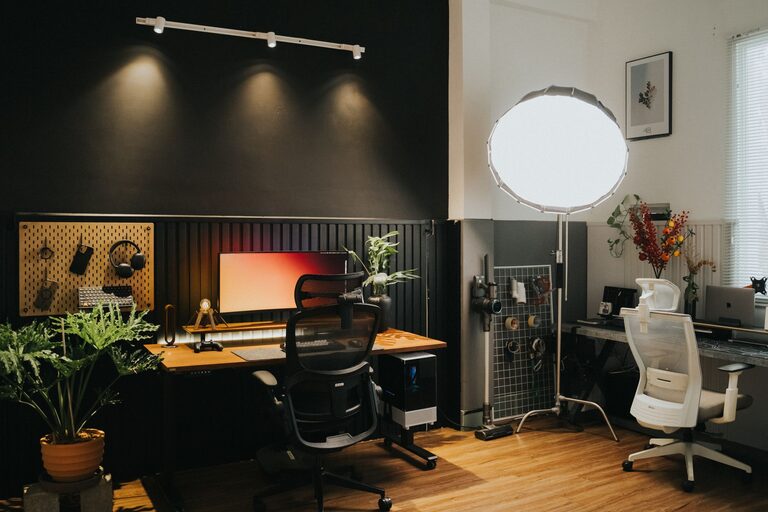

Creating a productive home office space is essential for anyone working remotely or spending significant time on tasks at home. A well-designed office not only improves focus and efficiency but also supports your wellbeing throughout the day. Here, we share practical tips to help you set up an inspiring and functional workspace that suits your needs.
Choose the Right Location
Selecting the ideal spot for your home office is the first step. Consider the following:
– Quiet and Low Distraction Area: Find a room or corner away from the main living spaces where noise and interruptions are minimal.
– Natural Light: Position your desk near a window if possible. Natural light is beneficial for mood and reduces eye strain.
– Adequate Space: Ensure there is enough room for your desk, chair, and any other equipment you require, plus space to move comfortably.
Invest in Comfortable and Ergonomic Furniture
Spending hours at your desk demands comfort to avoid fatigue and discomfort.
– Ergonomic Chair: Choose a chair that supports your back and encourages good posture. Adjustable height and lumbar support features are highly recommended.
– Proper Desk Height: Your desk should allow your arms to rest comfortably at a roughly 90-degree angle when typing.
– Consider a Sit-Stand Desk: Alternating between sitting and standing can improve circulation and reduce the risks of a sedentary lifestyle.
Organise Your Workspace Efficiently
A tidy workspace promotes clarity and reduces stress.
– Declutter Regularly: Keep only essential items on your desk. Store paperwork and supplies out of sight but within reach.
– Use Storage Solutions: Drawers, shelves and filing organisers help keep everything orderly.
– Cable Management: Use clips, sleeves, or boxes to tidy up power cords and chargers.
Optimise Lighting
Proper lighting improves concentration and reduces eye strain.
– Combine Natural and Artificial Light: Use daylight during the day and supplement with desk or floor lamps when needed.
– Avoid Screen Glare: Position your computer screen perpendicular to windows or light sources to prevent reflections.
Create a Personal and Motivating Environment
Your surroundings should inspire productivity and comfort.
– Add Plants: Small indoor plants brighten the space and boost mood.
– Decorate Wisely: Choose artwork or colours that make you feel calm and focused but avoid over-decorating.
– Control Temperature and Air Quality: Ensure your workspace is well-ventilated and maintain a comfortable temperature.
Set Boundaries and Routines
Maintaining work-life balance can be tricky at home.
– Dedicated Work Hours: Commit to specific start and finish times to help separate work from personal time.
– Communicate Boundaries: Let family or housemates know your schedule to minimise interruptions.
– Take Breaks: Regular short breaks improve productivity and wellbeing. Use timers or apps to remind you to stretch and rest your eyes.
Equip Your Space With the Right Technology
Efficient technology supports smooth workflows.
– Reliable Internet Connection: A fast and stable internet is crucial for video calls and research.
– Quality Headphones and Microphone: Useful for meetings or avoiding distractions.
– Multiple Monitors: If your work involves multitasking or large spreadsheets, consider using more than one screen.
– Backup Solutions: Use cloud storage and regular backups to protect your data.
Incorporate Healthy Habits Into Your Home Office
A productive workspace also encourages healthy work habits.
– Stay Hydrated: Keep a water bottle nearby.
– Healthy Snacks: Have nutritious snacks close by to maintain energy levels.
– Movement: Stand up, stretch or do light exercises periodically.
—
By carefully planning your home office space and following these tips, you can create an environment that supports your best work. Remember, the ideal workspace reflects your personal needs and preferences, so feel free to adapt these suggestions to suit your style and job requirements. With the right setup, working from home can be both productive and enjoyable.
About the Author